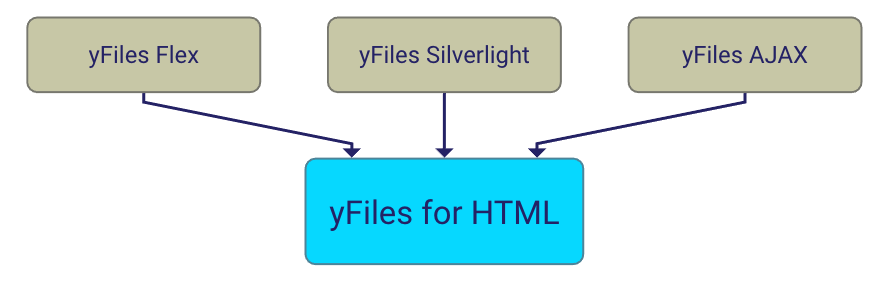
yFiles for Silverlight is an extensive class library for the Microsoft Silverlight 3 Framework. It provides data structures and algorithms for graph analysis and advanced functionality to automatically calculate layouts for graphs, diagrams, and networks.
Need first-class diagramming components for your Windows Forms application
or your WPF application?
Learn more about yFiles.NET and yFiles WPF...
Description
The yFiles for Silverlight diagramming library enables you to create
stunning diagramming applications for the Microsoft Silverlight 3 Framework.
The library contains algorithms for client-side automatic graph layout and graph
analysis, as well as a viewer component for visualizing and editing graphs.
Currently, yFiles for Silverlight is under development. It is not available yet, but if you are interested in this exciting new product, we invite you to evaluate the early-access version.
Demo Applications
Technical requirements: all demos run on Windows and Mac OS with Silverlight 3 plugin installed.
Graph Editor
With the Graph Editor demo application you can add new nodes and edges to a graph, move or delete nodes, change node labels, apply a layout algorithm, download the current graph, etc.
Graph Viewer
The Graph Viewer demo application demonstrates viewing a graph with zooming, panning, overview, and additional node information.
Organization Chart
The Organization Chart demo application shows how an interactive view for an organization chart can be created using yFiles for Silverlight.
The displayed graph is generated using an XML data model. In addition to the graph visualization, the data is represented in a tree view.
Collapsible Tree
Initially, a rooted tree with many nodes is loaded into the canvas. However, most of the nodes are not shown, because their subtrees are collapsed. The nodes are rendered with custom icons that indicate their current state. You can collapse or expand nodes. After an expand or collapse operation, the graph is redrawn using a configurable layout algorithm.
Grouped Graph
The Grouped Graph demo application presents the grouping support of yFiles for Silverlight. Group nodes can be collapsed or expanded. Whenever group nodes are expanded or collapsed, a new incremental layout is calculated and the graph is redrawn.
Control Styles
The Control Styles demo application shows how to conveniently customize the visual representation of nodes and edge labels.
Commercial Information
Learn more about the terms for the use of yFiles for Silverlight:For more information, please contact: sales@yWorks.com.
Evaluate yFiles for Silverlight
You can test and experience yFiles for Silverlight with a 30-day
early-access version.
The evaluation package features:
- unrestricted functionality of the yFiles for Silverlight library
- full Visual Studio integration: Visual Studio solution for working with yFiles for Silverlight
- yFiles for Silverlight Developer's Guide and full yFiles for Silverlight API documentation in Visual Studio integrated help format
- easy installation including Desktop and Start Menu links; convenient uninstallation support